Automation
What happens after I hit Render?
I swapped one Blender render on my site. Here’s how a new page gets the new image and an old tab can still load its own.
Recently, I had to replace the close-up of the rear latch, chain, and roller on my Dumpster models page. The close-up is set to load lazily, so the browser can wait until you scroll near it. What happens if I swap the picture while someone still has the page open?
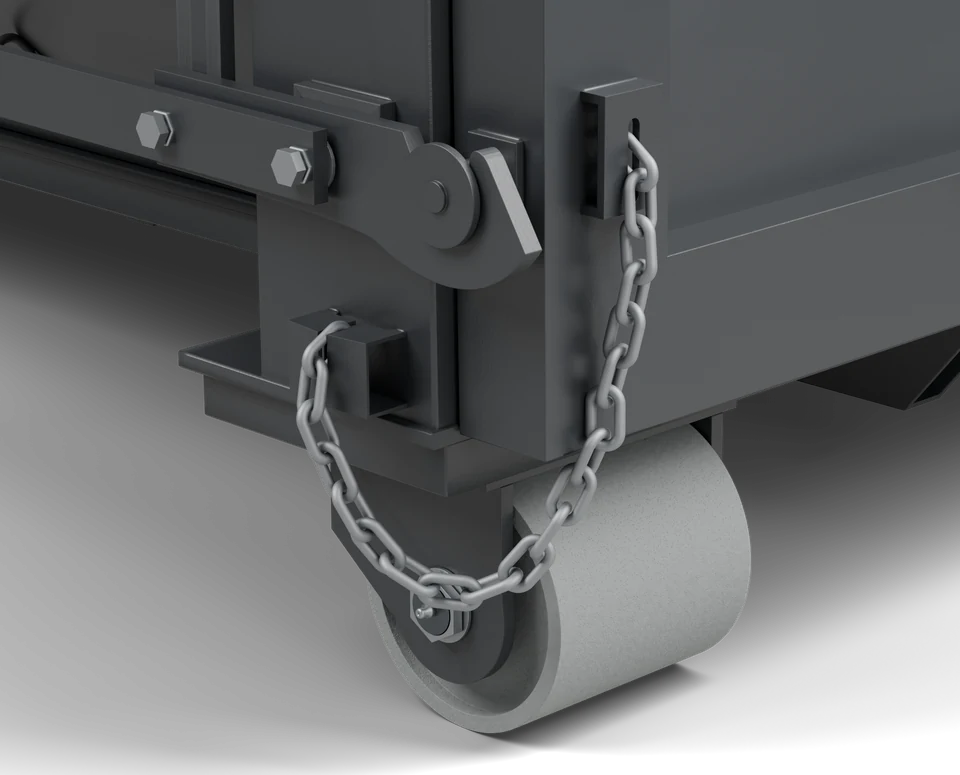
The updated rear hardware render, cropped for the project page.
From Blender to the browser
The file from Blender is 30yd-rear-detail-material.png, a 3,200 × 3,200 transparent PNG. I keep it with the other original renders and run the conversion from the site repo.
npm run images:rolloff
The script uses Sharp to scale the crop I defined on an 800 × 800 reference canvas. On this PNG, that gives me a 2,816 × 2,272 crop that frames the latch, chain, and roller. From there, the script makes eight sizes from 480 to 2,560 pixels wide. Each size gets an AVIF and a WebP, so this one PNG becomes sixteen files.
The script records those files in a JSON manifest. The project page asks for hardware, and the build uses that entry to put both sets of URLs into the page’s HTML. The browser can pick a width based on the space the image takes up and the density of the screen. If it can’t display AVIF, it has the WebP set to choose from.
View the conversion script (183 lines)
import { createHash, randomUUID } from "node:crypto";
import { link, mkdir, readFile, rename, rm, writeFile } from "node:fs/promises";
import { fileURLToPath } from "node:url";
import path from "node:path";
import sharp from "sharp";

const root = fileURLToPath(new URL("../", import.meta.url));
const renderUrl = "/images/roll-off-study/versioned";
const destination = path.join(root, "public", renderUrl);
const manifestPath = path.join(root, "src/content/rolloff-renders.json");
const widths = [480, 640, 768, 960, 1152, 1440, 1920, 2560];
// Align both hero posters and the clay render to a crop on a 1440 × 810 canvas.
const comparisonCrop = {
  canvas: [1440, 810],
  rect: [152, 158, 1232, 576],
};
const renders = [
  {
    id: "thirtyYard",
    input: "RO-30yd-transparent.png",
    name: "roll-off-30-yard-studio",
    alt: "Three-quarter Blender render of a charcoal 30-yard tub-style dumpster, showing the open top, steel body, reflective markings, and rollers.",
  },
  {
    id: "twentyYard",
    input: "RO-20yd-transparent.png",
    name: "roll-off-20-yard-studio",
    crop: comparisonCrop,
    alt: "Three-quarter Blender render of the lower-sided 20-yard dumpster.",
  },
  {
    id: "paired",
    input: "RO-20yd-30yd.png",
    name: "roll-off-20-and-30-yard-comparison",
    alt: "The lower-sided 20-yard dumpster in front of the taller 30-yard dumpster.",
  },
  {
    id: "finished",
    input: "RO-30yd-transparent.png",
    name: "roll-off-30-yard-finished",
    crop: comparisonCrop,
    alt: "Finished charcoal 30-yard dumpster with steel rails, reflective tape, and a gold Wolfhound emblem.",
  },
  {
    id: "clay",
    input: "30yd-clay-transparent.png",
    name: "roll-off-30-yard-clay",
    crop: comparisonCrop,
    alt: "The same 30-yard dumpster in gray clay, showing the form without the finished materials.",
  },
  {
    id: "hardware",
    input: "30yd-rear-detail-material.png",
    name: "roll-off-30-yard-hardware",
    crop: { canvas: [800, 800], rect: [44, 150, 704, 568] },
    alt: "Close-up of the 30-yard dumpster's rear latch, hanging chain loop, and steel roller.",
  },
  {
    id: "overfilled",
    input: "RO-30yd-overfilled.png",
    name: "roll-off-30-yard-loading-height",
    crop: { canvas: [800, 1600 / 3], rect: [20, 171, 760, 305] },
    alt: "Side view of the 30-yard dumpster with debris protruding above the near top rail.",
  },
  {
    id: "overhead",
    input: "30yd-overhead-horizontal.png",
    name: "roll-off-30-yard-overhead",
    widths: [320, ...widths],
    alt: "Top-down view of the empty 30-yard dumpster, with its door at the left end.",
  },
];

async function writeVariant(name, width, extension, data) {
  const hash = createHash("sha256").update(data).digest("hex").slice(0, 16);
  const filename = `${name}-${width}.${hash}.${extension}`;
  const file = path.join(destination, filename);
  const temporary = `${file}.${randomUUID()}.tmp`;

  try {
    await writeFile(temporary, data);
    // Publish complete bytes without ever overwriting an immutable URL.
    await link(temporary, file);
  } catch (error) {
    if (error.code !== "EEXIST") throw error;
    if (!(await readFile(file)).equals(data)) {
      throw new Error(`Existing render has different bytes: ${filename}`, {
        cause: error,
      });
    }
  } finally {
    await rm(temporary, { force: true });
  }

  return `${renderUrl}/${filename}`;
}

await mkdir(destination, { recursive: true });
const manifest = {};
let totalBytes = 0;

for (const render of renders) {
  const input = path.join(root, "original assets", render.input);
  const metadata = await sharp(input).metadata();
  if (!metadata.width || !metadata.height) {
    throw new Error(`Cannot read dimensions: ${render.input}`);
  }

  const image = sharp(input).rotate();
  let { width: imageWidth, height: imageHeight } = metadata;
  if (render.crop) {
    const { canvas, rect } = render.crop;
    const [x, y, width, height] = rect;
    const scaleX = imageWidth / canvas[0];
    const scaleY = imageHeight / canvas[1];
    const left = Math.round(x * scaleX);
    const top = Math.round(y * scaleY);
    imageWidth = Math.round((x + width) * scaleX) - left;
    imageHeight = Math.round((y + height) * scaleY) - top;
    image.extract({ left, top, width: imageWidth, height: imageHeight });
  }

  // Cap the responsive set at the native width of the original or cropped plate.
  const sizes = [
    ...new Set(
      (render.widths ?? widths).map((width) => Math.min(width, imageWidth)),
    ),
  ];
  const sources = [];
  for (const width of sizes) {
    const resize = { width, withoutEnlargement: true };
    if (render.crop) {
      const [, , cropWidth, cropHeight] = render.crop.rect;
      // Use the common plate ratio after rounding source crops to whole pixels.
      resize.height = Math.round((width * cropHeight) / cropWidth);
      resize.fit = "fill";
    }
    const resized = image.clone().resize(resize);
    const [webp, avif] = await Promise.all([
      resized
        .clone()
        .webp({ quality: 88, alphaQuality: 100, effort: 6 })
        .toBuffer({ resolveWithObject: true }),
      resized
        .avif({ quality: 80, effort: 6, chromaSubsampling: "4:4:4" })
        .toBuffer({ resolveWithObject: true }),
    ]);
    const [src, avifSrc] = await Promise.all([
      writeVariant(render.name, webp.info.width, "webp", webp.data),
      writeVariant(render.name, avif.info.width, "avif", avif.data),
    ]);
    sources.push({
      src,
      avif: avifSrc,
      width: webp.info.width,
      height: webp.info.height,
    });
    totalBytes += webp.info.size + avif.info.size;
    console.log(
      `${render.name} ${webp.info.width} × ${webp.info.height}: WebP ${(webp.info.size / 1024).toFixed(1)} KiB, AVIF ${(avif.info.size / 1024).toFixed(1)} KiB`,
    );
  }
  const fallback =
    sources.find((source) => source.width >= 1440) ?? sources.at(-1);
  manifest[render.id] = {
    alt: render.alt,
    width: fallback.width,
    height: fallback.height,
    src: fallback.src,
    sources: sources.map(({ src, avif, width }) => ({ src, avif, width })),
  };
}

const temporaryManifest = `${manifestPath}.${randomUUID()}.tmp`;
try {
  await writeFile(temporaryManifest, `${JSON.stringify(manifest, null, 2)}\n`);
  await rename(temporaryManifest, manifestPath);
} finally {
  await rm(temporaryManifest, { force: true });
}
console.log(
  `Generated ${renders.length} responsive sets (${(totalBytes / 1024 / 1024).toFixed(2)} MB total). Originals unchanged.`,
);
What changed when I swapped the PNG
Take the 480-pixel WebP. Its name starts with roll-off-30-yard-hardware-480 in both versions. The end of the name is where the update shows up.
- Before ·
10eba195db508905.webp - After ·
5e0dc7028d457a40.webp
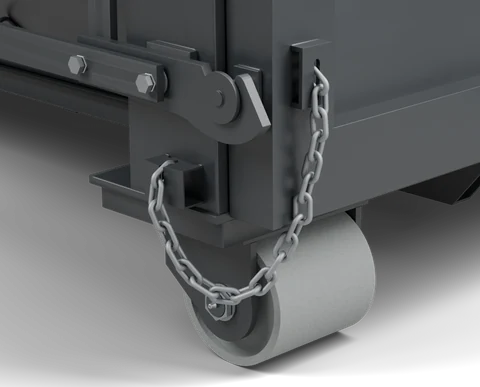
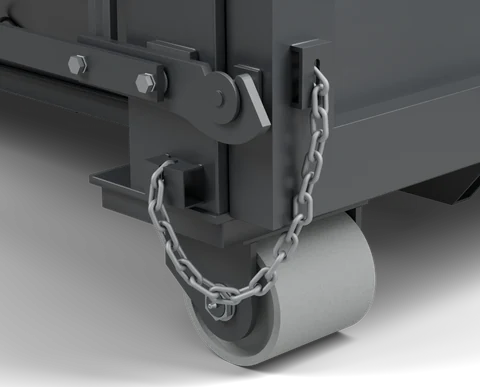
That suffix comes from hashing the bytes of the finished WebP. The script does the same for every size and format. If the bytes change, the file gets a new name. If they come out the same, the script can reuse the file that’s already there. All sixteen hardware variants got new names in this update. The script wrote them alongside the previous set, then replaced the manifest.
Back to the old tab
When I deploy, the new image files go into a shared directory before the server switches over to the new HTML. Both versions of the image live there, and the server tells browsers they can cache each URL for a year. You can try both links above. Each still loads the version named in its URL.
So say you opened the project page before I deployed and left it sitting at the top. Later, you come back and scroll down to the rear hardware. Your tab still has the old HTML, so it asks for the old URL. The latch, chain, and roller load just as they would have when you first opened the page.